Office Work: Daily Tasks and Routines
Core PathWay
1 Starting Your Work Day
You have chosen to learn about everyday activities in office work, let’s get started. Every morning, office workers do the same tasks to begin their day. First, you switch on the computer to start working. This means you turn on the PC. Then you check emails to read new messages. Many people also answer the phone when colleagues or clients call. These are the first activities of a typical office day.
2 Communication Tasks
Office workers communicate with many people every day. You send an email to share information with colleagues. You make a phone call when you need to speak to someone directly. Sometimes you schedule a meeting to arrange a time to talk. Then you attend a meeting and discuss important topics. During meetings, you take notes to remember key information. Good communication helps the office work well.
3 Working with Documents
Documents are an important part of office work. You print documents to make paper copies of computer files. You make copies when you need more than one paper version. You sign documents by writing your name on official papers. After you finish, you file documents to keep them organized. You also do paperwork like completing forms and reports. These tasks keep business records clear and organized.
4 Using Your Computer
Computers are essential tools in modern offices. You open files to see documents on your screen. You save files to keep your work safe on the computer. When you finish, you close files to exit the documents. You use the printer to make paper copies from digital files. At the end of the day, you turn off the computer to shut down the system properly.
5 Managing Your Time
Time management is important in office work. You take a break when you need to rest for a short time. Sometimes you work overtime and stay late to finish extra tasks. It is important to meet a deadline and complete work on time. Good workers plan their day carefully and finish tasks when needed.
Member-Exclusive Vocabulary Review & Acquisition System
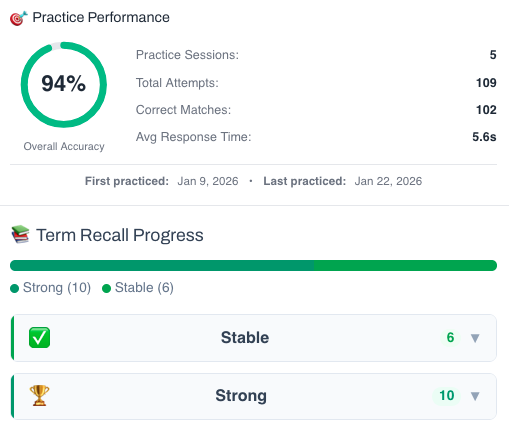
This isn’t a simple quiz — it’s a fully tracked learning system. You build knowledge through recognition, then recall, and your progress feeds directly into the Integrated Practice Bar (Writing tasks, AI Chat, and more).
- Practice sessions, accuracy, and response-time tracking
- Term strength levels (Learning → Stable → Strong)
- Personal progress history for each unit
This feature is available to YSP members.
Explore Membership BenefitsMember-Exclusive Sentence Builder
Reconstruct scrambled sentences to practice word order and develop your grammar intuition.
This feature is available to YSP members.
Explore Membership Benefits